Computer Maintenance
Maintenance of the computers in MagAO-X
Mobo CMOS Battery
Replacing a dead CMOS battery
See motherboard manual…
Booting with dead CMOS battery
If a motherboard CMOS battery has died and you need to boot now without taking time to replace it:
First connect a monitor and keyboard to the computer. For ICC/RTC there is a VGA connection on the far right side of the front panel as shown by the orange arrow in the following picture. A usb keyboard should be connected to the front panel, also shown by an orange arrow.
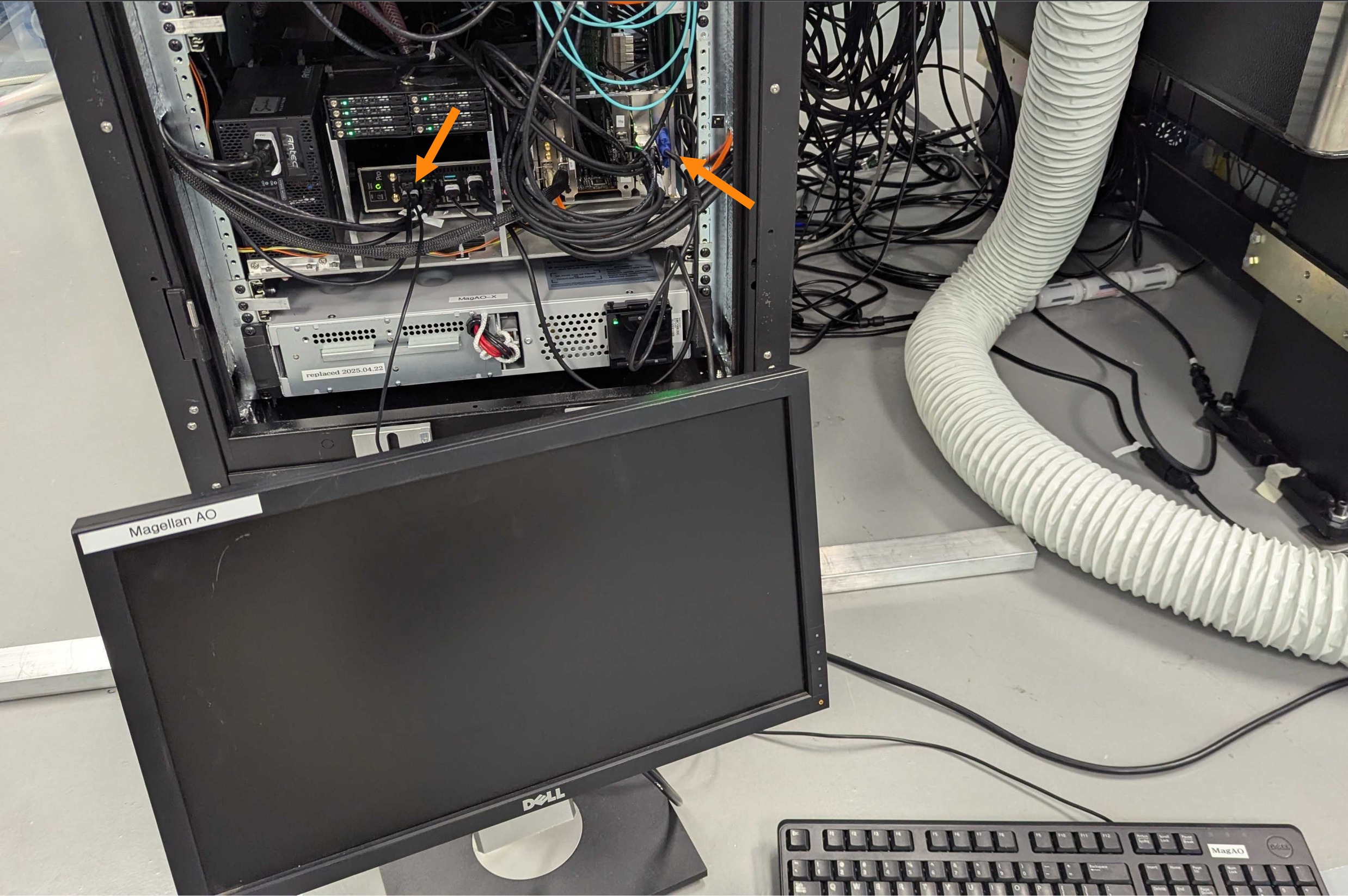
Connecting a monitor and keyboard to the rack computers. This is RTC. Note the orange arrows indicating where to connect the monitor and keyboard.
Next power-on and boot the computer following the usual steps.
The computer will stop with a demand that you press F1 to enter bios setup, as in the following image. Using the keyboard press F1.
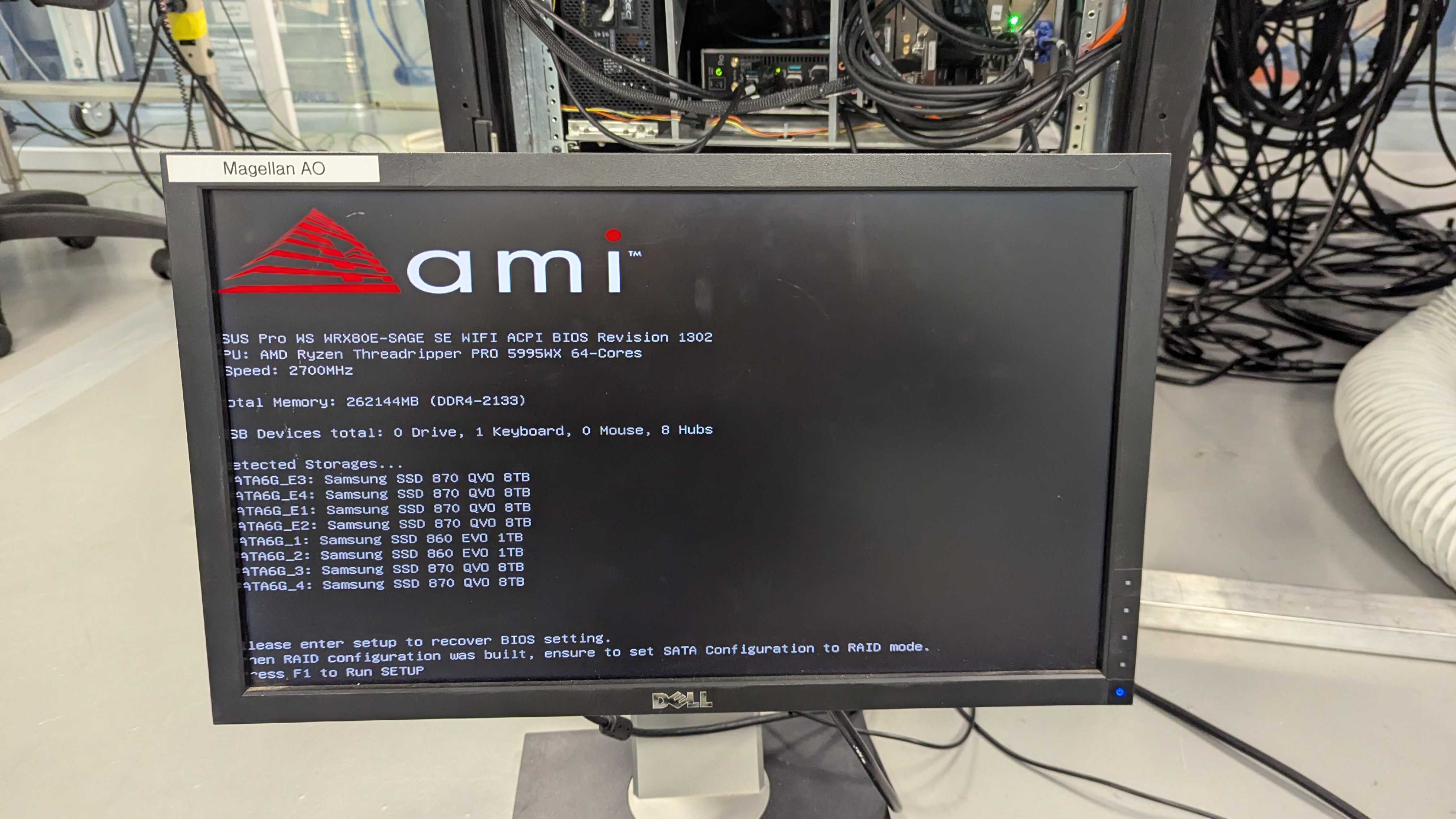
Boot screen when the CMOS battery is dead. Press F1.
Once in BIOS setup you do not need to change any settings. Using the arrow keys navigate to the ‘Exit’ menu (see orange arrow in following image) and exit without making any changes. Confirm that choice and the computer will boot.
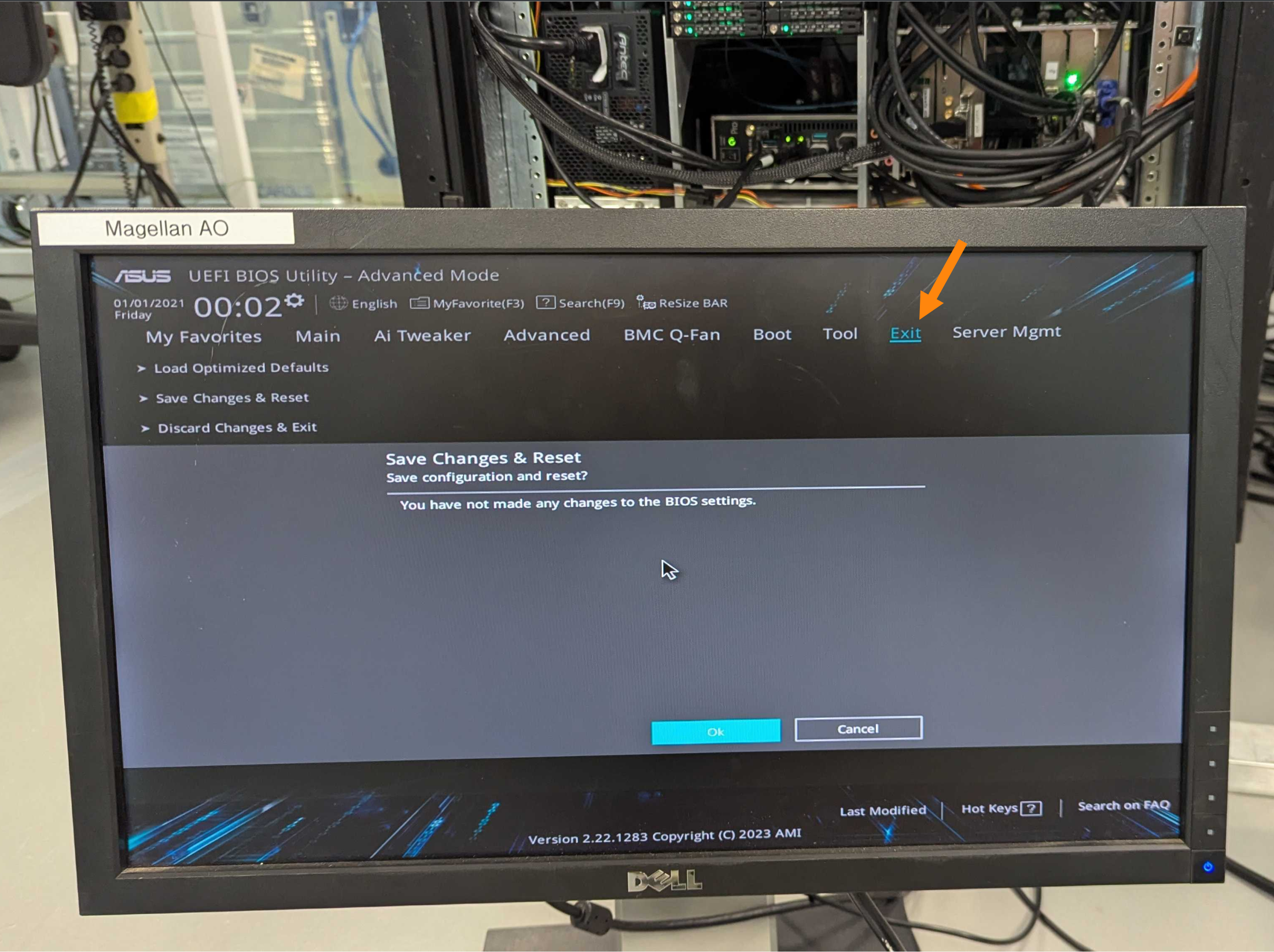
Once in BIOS setup you only need to Exit (see orange arrow) without making changes.
Now begin having fun. As long as power is not completely removed, the computer will reboot normally as needed.
When there is time replace the CMOS batter per the above procedure.