Managing Autofocus Vibrations
The telescope autofocus system updates the secondary position at intervals based on elevation and temperature using a lookup table. The problem for MagAO-X is that this imparts high-frequency vibrations (significant on lambda/D scales) on the telescope. For the best residual tip/tilt performance we can operate with autofocus off with the following procedure.
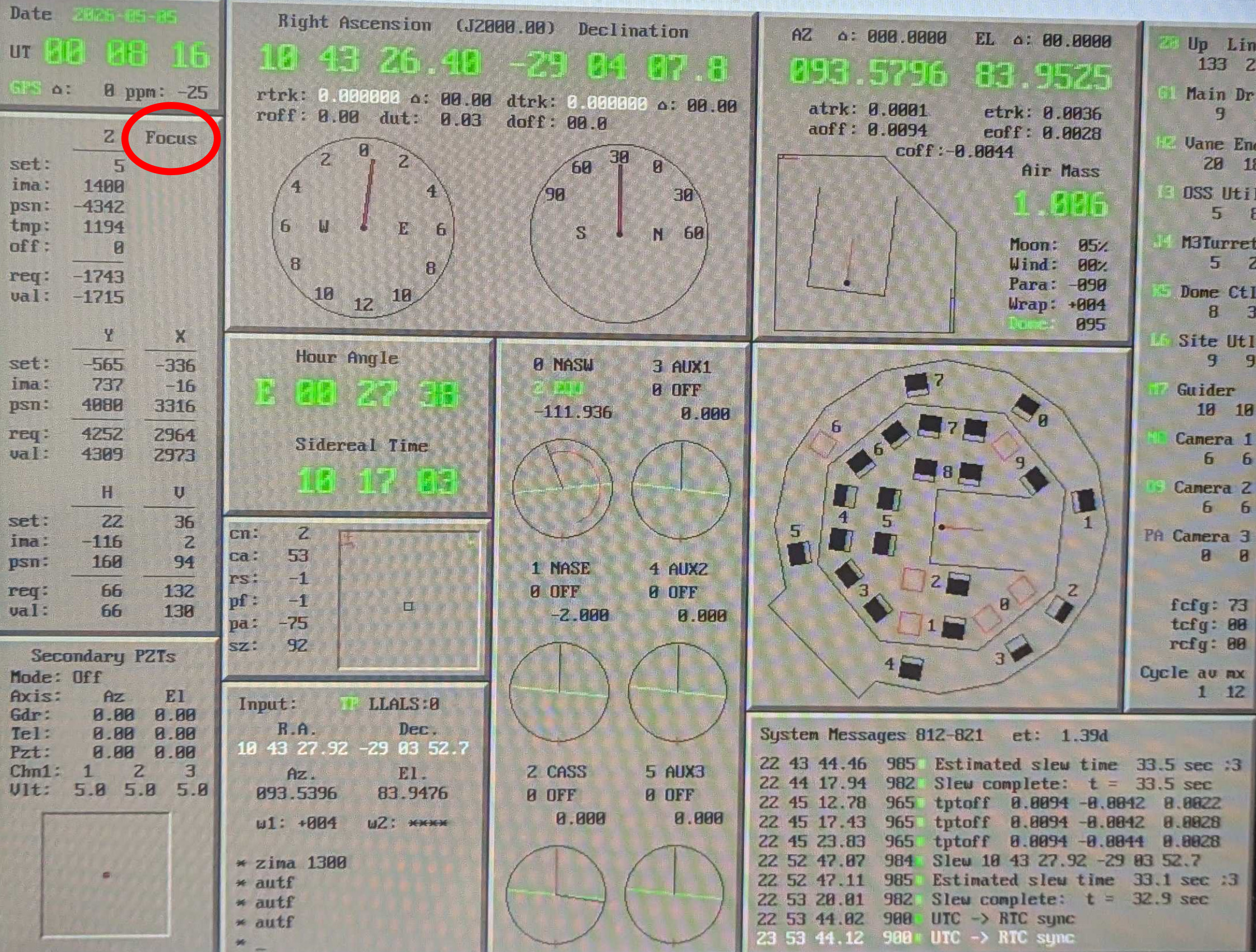
The Clay TCS display. Circled in red is the autofocus status, here shown off. When on, the word “Focus” turns green.
Important Things
The telescope operator has to manually disable/enable autofocus.
When autofocus is disabled, we can not dump focus to the telescope. This is the key caveat to using this procedure.
Turning autofocus back on after a period of no corrections will throw the star off the pyramid, breaking the HO loop.
Be sure to re-enable autofocus before slewing to a new target.
Plan to perform this procedure 30 minutes before transit even if the threshold hasn’t been reached.
Procedure
TO slews to the target with autofocus on as usual.
Perform MagAO-X acquisition and close the loop
Once the loop is closed, wait about 10 sec, then dump focus to the telescope
If the amplitude is very large (>~50), wait another 10 sec and dump again
Now ask the TO to disable autofocus
Begin taking data
Monitor the focus build-up on the woofer
You can press the focus dump button and observe the amount that would be sent, even though the command will have no effect.
Once the amplitude gets large (>~ 75) it is time to fix it. Do the following:
Make the science cameras EM gain safe, i.e. close the shutters (this is a good chance to take a few darks)
Open the loop.
Ask the TO to enable autofocus. This will likely throw the star off the pyramid.
put in flipacq and turn on camacq
take a camwfs dark because it’s a good time to do it
Move the telescope to re-acquire the star on the pyramid
remove flipacq and turn off camacq
close the loop
ask the TO to disable autofocus
return to you regularly scheduled data taking
Repeat step 6 and 7 until you are done with the observation
Open the loop
Ask the TO to enable autofocus
Goto step 1.